Your team probably shares a dozen sensitive files before lunch. Board decks, payroll summaries, vendor contracts, they all land in email attachments or a shared drive that half the company can open. That works fine until it doesn’t. One misaddressed email or one former employee with saved credentials, and your confidential data is walking out the door. The fix is simpler than you think, and it does not require a six figure software budget.
Here is the promise: by the end of this article, you will know exactly when to ditch standard file sharing for a purpose built virtual data room, how to pick the right one, and which everyday workflows deserve better protection than they are getting right now.
What Actually Happens When You Email a Spreadsheet?
Send a file over email and you lose control the second you hit Send. The recipient can forward it, download it, screenshot it, or leave it sitting in an unsecured inbox for years. You have no idea who opened it, when they opened it, or whether they passed it along. For routine stuff, that tradeoff is fine. For anything with real business value, it is a gamble you keep losing.
Shared drives are barely better. Permissions get granted once and forgotten. Contractors come and go, yet their access stays. A 2023 report from the Cybersecurity and Infrastructure Security Agency reminds us that insider threats, whether accidental or intentional, consistently rank among the hardest breach vectors to defend against. You cannot patch a culture of loose file handling with another firewall.
And here is the thing. Most breaches are not Hollywood heists. They are a disorganized folder structure and a link that should have expired six months ago.
The Workflows That Need More Than a Shared Drive
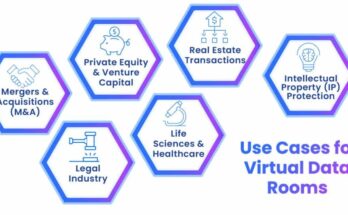
You do not need a data room to share a lunch menu. You do need one for documents where a leak creates real damage. Here are the four scenarios that come up far more often than mergers.
Quarterly Investor Reporting
Picture this. Your CFO finalizes the Q3 numbers on a Thursday night. The board wants them by Friday noon. You upload the file to a data room, invite fourteen investors with view only access, and add a watermark with each recipient’s name. By 9 a.m., you can see exactly who has reviewed the deck and who has not. If a screenshot surfaces online, you know precisely which investor leaked it.
That level of traceability is the difference between hoping nothing goes wrong and knowing it cannot go unnoticed.
HR Onboarding and Offboarding
New hires need offer letters, tax forms, and ID documents. Departing employees have exit paperwork. Both involve personal data that regulators take seriously. The General Data Protection Regulation sets strict rules on how long you can store personal information and who may access it. A folder on a shared drive with no expiry dates is a compliance problem waiting for an audit.
Data rooms let you set access windows that close automatically. Someone’s files vanish from view the day their contract ends. That alone is worth the switch.
M&A Prep That Never Stops
Here is a lesson from deal veterans. The companies that sell fastest are the ones that kept their documents audit ready all along, not the ones scrambling in the month before a buyer appears. If you run a business that might attract acquisition interest someday, organize your cap table, contracts, and IP records now. When the moment comes, you simply open the room and grant access.
For growing firms, a ddraum.de style secure environment turns a chaotic due diligence sprint into a calm, controlled process, and that calm directly improves your negotiating position.
Cross Border Team Collaboration
When your developers sit in Berlin and your sales team works from Austin, you exchange files across time zones constantly. Encrypted email chains get unwieldy. FTP servers feel like 1998. A structured room where each project has its own folder, version history, and comment thread keeps everyone aligned without the mess.
You also gain one underrated feature: a single source of truth. No more guessing which version of the spec is current, because the room only holds one.
How to Choose a Secure Sharing Tool Without Overpaying
Start with your actual risk, not the vendor’s marketing page. A boutique design agency has different needs than a mid market manufacturer with a hundred suppliers. Work through this checklist and you will land on the right tier.
- Inventory what you share monthly. If sensitive documents cross your desk more than twice a week, a dedicated tool justifies its cost.
- Confirm granular permissions. You need view only, download disabled, and print disabled options, not just an admin/user toggle.
- Check the audit log. Every access, download, and upload should be timestamped and tied to a named user.
- Verify data residency. Some industries require files to stay within specific borders. Ask where your data physically lives.
- Test the mobile experience. Board members review decks from iPads at 6 a.m. If the phone interface frustrates them, they will find a workaround, which defeats the purpose.
I would rather you buy a lean tool and actually use it than license an enterprise suite that collects dust. Start painfully small and expand only when a workflow genuinely demands it.
The Standard You Should Hold Every Vendor To
Security certifications separate serious providers from hobbyists. Look for vendors that operate under internationally recognized frameworks. The International Organization for Standardization publishes the benchmark families for information security management, and certified providers undergo independent audits to prove their controls work. If a vendor cannot name their certification level and the auditor behind it, walk away.
Encryption matters too, both while files travel and while they rest on a server. Read the fine print. Some tools encrypt data in transit but leave stored files readable to their own staff. You want end to end protection that keeps even the provider out of your content.
Your 5 Step Rollout That Won’t Disrupt Your Team
Adopting a secure file sharing tool does not have to feel like a migration project. Borrow this playbook.
- Pick one workflow. Start with investor reporting or HR onboarding. Do not migrate everything on day one.
- Load the templates. Upload the current versions of your key documents so nobody searches an empty room and gives up.
- Invite two power users. Get your CFO and your office manager comfortable first. They become your internal evangelists.
- Run one live cycle. Complete a real quarterly report or a real onboarding inside the tool before you expand.
- Retire the old path. Once the pilot succeeds, stop emailing those document types. Make the data room the only route, no exceptions.
The last step is the one most teams skip, and it is the one that actually changes behavior. As long as the shared drive remains an option, people will use it.
Where to Start When the Stakes Are Low
If you are still unconvinced, run a low stakes test. Take your next board deck or your next supplier contract and move only that document into a secure room. Share it the way you normally would, then check the audit log a week later. You will see exactly who opened it, which pages they lingered on, and whether anyone tried to download a copy.
That visibility changes how you think about file sharing. Once you see the trail, you will wonder why you ever sent sensitive attachments into the void of an inbox. The tools exist, the standards are clear, and the cost is far lower than the price of one leaked file. So what are you waiting for?